Switch Command (for RPGMaker MV/MZ)
A downloadable plugin
This adds a new command for eventing that lets you check the value of a variable and run code depending on what the value is. Programmers may know this as a "switch statement" or a "match statement".
How to Use
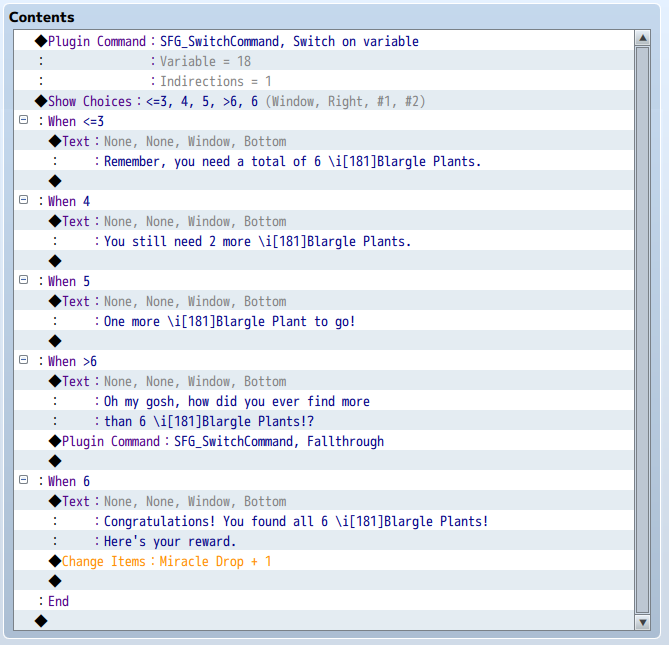
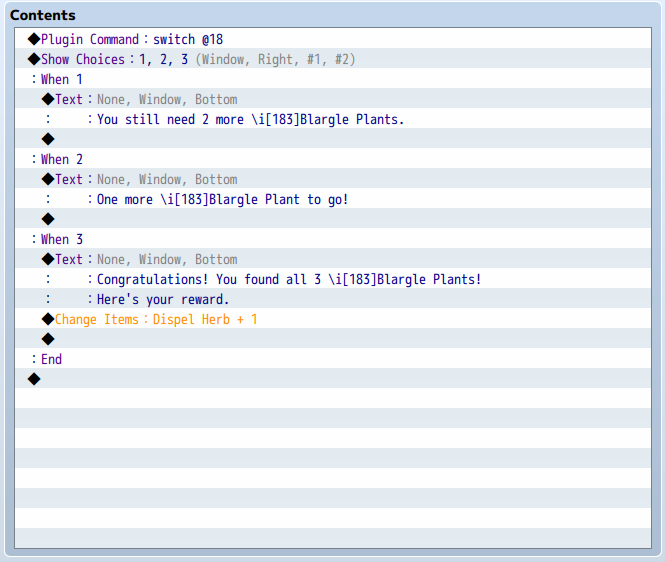
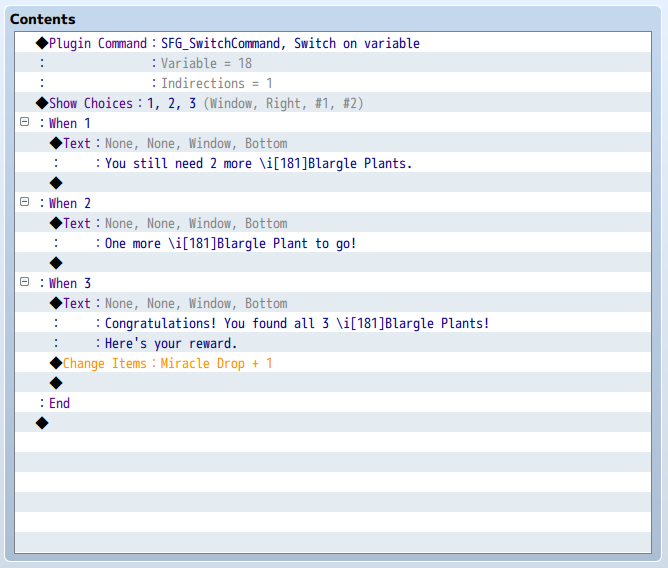
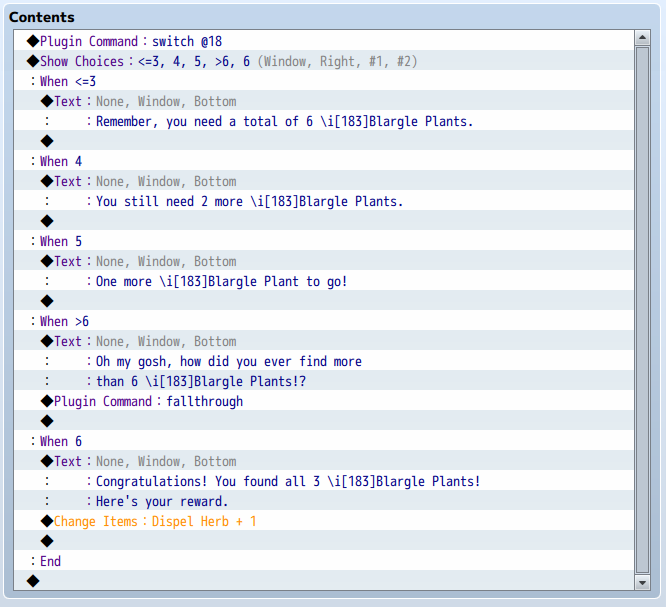
It's very simple – just add a "switch" plugin command to your event, followed directly by a regular "Show Choices" command. If 6 options isn't enough, you can put 2 or more "Show Choices" in a row – as long as there is nothing between them, it will all be considered a single switch statement.
Put the values you want to match into each of the choice boxes. If you set Cancel to Branch on the last "Show Choices" in a set, that branch will be taken when none of the values match. For example, if you want to run the first branch when the variable has the value 1, the second branch when it's in the range 3 to 6 inclusive, the third branch when it's either 2 or 7, and the fourth branch for any other value, set it up like this:
◆Plugin Command:SFG_SwitchCommand, Switch on variable
:Plugin Command:Variable = 1
:Plugin Command:Indirections = 1
◆Show Choices:1, #3~6, 2,7 (Window, Right, #1, -)
:When 1
◆
:When #3~6
◆
:When 2,7
◆
:When Cancel
◆
:End
The full set of available options is documented in the plugin file.
Download
Click download now to get access to the following files:
Comments
Log in with itch.io to leave a comment.
This looks useful! After learning what switch cases were, I missed them in RPG Maker, lol. I'll save it just in case, thanks for making it