Param Add (for RPGMaker MV/MZ)
A downloadable plugin
Introduction
With this plugin, you can create states or equipment that adds a fixed value to any parameter, rather than multiplying the parameter by a ratio.
Supports all parameters and special parameters.
Terms and Credits
- You can use this plugin in commercial or non-commercial games, free of charge.
- Don't remove me from the "author" field in the plugin file.
- Credit would be appreciated. You can credit me as "Solar Flare" or "Solarflare Software".
- Feel free to modify this however you need for your game, but you may not distribute the modified versions except as part of your game, and you must add your name to the author field to make it clear that you changed it from the vanilla, official version.
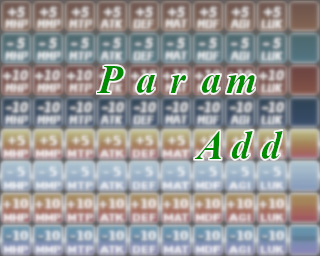
- No credit is required for use of the sample icons. However, you must own MV to use the top half of the sheet, and you must own MZ to use the bottom half of the sheet.
Compatibility
This plugin is written for RPGMaker MV. It has not been tested in RPGMaker MZ, but it is expected to mostly work. Let me know in the comments if there are issues using it in MZ.
This plugin has not been tested with any Yanfly plugins. It may or may not conflict with them. Use together with Yanfly at your own risk.
This plugin has not been tested with any VisuStella plugins. It may or may not conflict with them. Use together with VisuStella at your own risk.
If you install SFG_ExpandedTP, you can also add to the Max TP and TP Cost Rate parameters introduced by that plugin.
Download
Install instructions
- Download the plugin file SFG_ParamAdd.js.
- Put the file in the plugins folder in your RPGMaker project.
- Add the plugin to the plugins manager.
- Set the plugin parameters.
The plugin documentation explains how to use the note tags.
If you want to use the sample icons, you will need to copy-paste them into the file img/system/IconSet.png in your project folder.
Leave a comment
Log in with itch.io to leave a comment.